News
-
Johannes Eriksson
-
- Product News
- 2 min reading
Some features start with an idea. Others start with a very specific customer need.
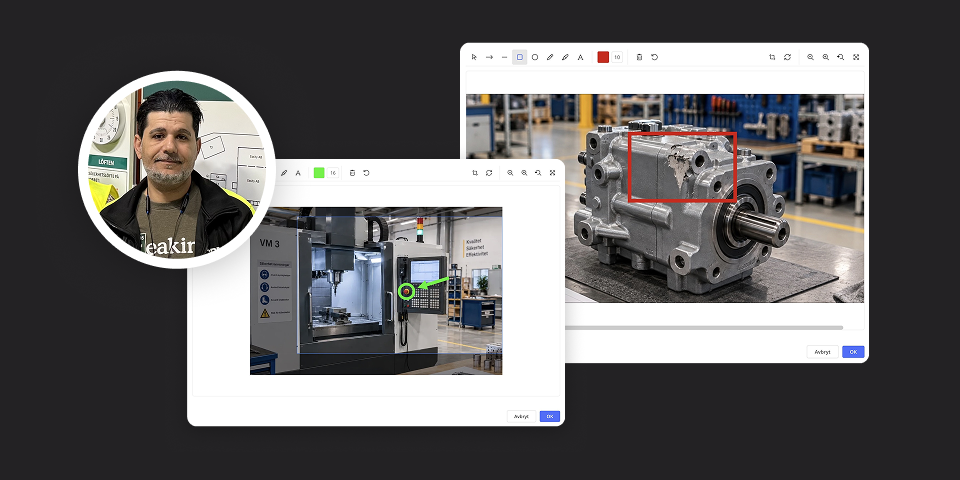
When we visited Greif in June, production engineer Basel Chaban, also known as Basse, told us about something he felt was missing in AM System: the ability to easily crop and edit images directly within the system.
He’s far from alone. Image editing is a feature that many of our customers have been requesting for a long time.
Our conversation with Basse really stuck with us—so much so that during development, the feature came to be known internally as “Basse’s feature.” And now it’s here!
With the new image editing feature, you can edit and enhance images directly in AM System Classic, without first having to use an external image editing program.
Among other things, you can:
-
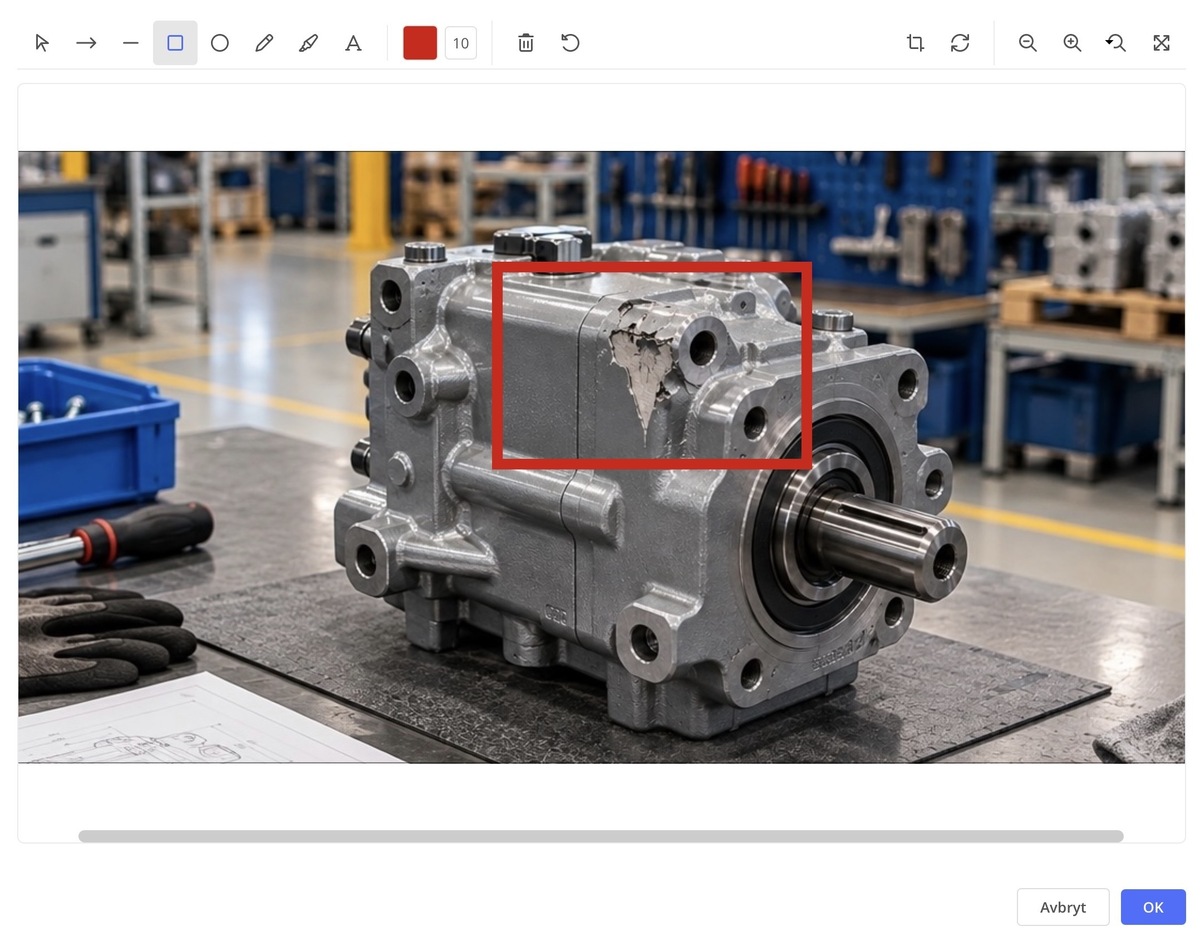
Crop the image so that only relevant information is displayed
-
Add arrows and shapes to highlight important details
-
Add text to explain or clarify
This feature is available in several places within Classic and can be used in both Documents and Cases.
.jpg?width=1200&height=850&name=image%20(1).jpg)
For example, you might want to highlight exactly which detail is important in a work instruction, circle a defect in a photo within a case workflow, or simply crop out anything that isn’t relevant.
Clearer images, fewer detours, and simpler communication—right where the information belongs.
So thank you, Basse, and all of you other customers who requested the same thing. “Basse’s feature” is now available in AM System!
Want to know more?
In our Helpdesk, you can read more and see examples of how the new feature is used
How do we go from a request to a finished feature?
Even though we’ve internally referred to it as “Basse’s feature,” it’s obviously not a single request that determines what we develop.
The improvement suggestions we receive from our customers are handled according to an established and documented product development process. The suggestions are recorded and tracked so that we can identify recurring needs and see connections between requests from different customers. This gives us a broader basis for assessing and prioritizing which improvements can provide the greatest benefit.
Both Customer Success and our developers participate in this process. Insights from ongoing customer dialogue are weighed alongside factors such as technical feasibility, scope, and connections to other needs. Not all improvement suggestions therefore lead to development, but they become an important part of the basis for our planning of Classic’s continued development.
Image editing is a good example of this process. When we met with Basse, we had already received several requests for similar functionality. The conversation provided us with additional concrete examples of the need and how the feature could be used in practice.
From improvement suggestions to a finished feature, we go through several steps—we collect and analyze needs, prioritize, develop, and test. This allows us to balance the needs of different customers and ensure that the changes we make are beneficial and work well with the rest of Classic.
Do you have an idea on how AM System can improve?
We’d love to hear your thoughts and suggestions for improvement. You can easily submit them via Help & Feedback in Classic or directly through our support portal . Please describe your specific need and how it affects your work—this gives us a better basis for evaluating future improvements.
Get a demo
Ready to make work easier - and more enjoyable?
Want to see for yourself how AM System can make a difference for you? Book a demo and discover how easy it is to create structure, efficiency, and seamless workflows in your daily operations.